About battleship war
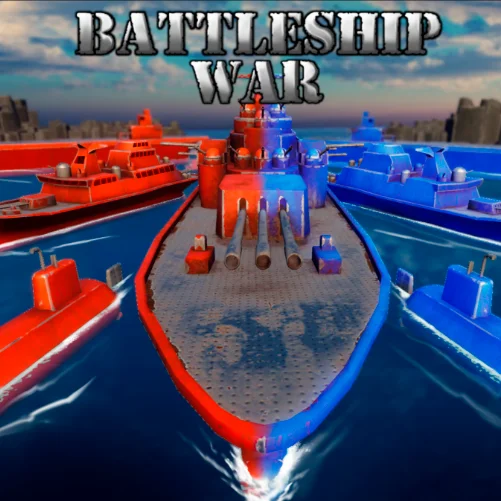
Battleship War is a browser-based naval strategy game inspired by the classic Battleship board game. It was developed by Code This Lab and uses a turn-based search-and-destroy system in which two hidden fleets compete on separate grids.
Before combat begins, you arrange ships of different lengths on your side of the board. The opposing force cannot see their positions, just as you cannot see where its vessels are located.
Players take turns selecting coordinates on the enemy grid. A successful strike reveals part of a ship, while a miss eliminates one empty square from consideration. The first commander to locate and sink the entire opposing fleet wins.
The game includes Classic and Advanced modes. Classic follows the familiar board-game rules, while Advanced adds points and special powers that can reveal information or attack several coordinates.
Battleship War uses simple mouse controls and runs directly in a modern desktop browser without requiring a download.
How to Play
- Choose Classic or Advanced mode from the main menu. You will then enter the fleet-placement phase.
- Drag or select each ship and position it on your grid. Vessels can be arranged horizontally or vertically, but they cannot overlap or extend beyond the board. Some versions also provide a button that generates a random legal formation.
- When both fleets are ready, the battle begins. Click a coordinate on the enemy grid to launch an attack. The game will indicate whether the shot was a hit or a miss.
- A hit confirms that at least one section of an enemy ship occupies that coordinate. Continue testing nearby squares to determine the vessel's direction and destroy all its remaining sections.
Controls
Tips & Tricks
- Spread ships across different areas of the board. Placing the entire fleet in one cluster allows the opponent to find several vessels quickly.
- Mix horizontal and vertical orientations. A predictable formation makes neighboring sections easier to identify.
- During the search phase, avoid clicking adjacent squares immediately unless you have already found a hit.
- After hitting a ship, test the cells above, below, left, and right to determine its orientation.
- Once two connected sections are found, continue firing along the same line until the vessel sinks.
- Pay attention to previous misses. Every empty coordinate reduces the number of possible locations for the remaining ships.
- Do not forget corners and edges. Players often search the center first, making boundary positions useful hiding locations.
- Begin with Classic mode to learn the core logic before adding Advanced power-ups.
FAQ
How does the airstrike work?
An airstrike attacks multiple coordinates instead of one standard square. Its exact area depends on the browser version.
How do I place my ships?
Select or drag a ship onto your grid, choose a horizontal or vertical orientation, and make sure it does not overlap another vessel or leave the board.
What happens when I hit a ship?
The square is marked as a successful strike. Attack neighboring coordinates to identify the ship's direction and destroy every section.
How do I know when a ship has sunk?
A vessel sinks after every grid square occupied by that ship has been hit. The game normally displays a visual or audio notification.
Can I position the fleet automatically?
Yes. Most versions include a random-placement button that generates a valid formation.
What does the radar power-up do?
Radar, sometimes represented by a drone, reveals information about a section of the enemy board and helps narrow down possible ship locations.
Can ships move after the battle begins?
No. Once placement is confirmed, vessels remain in their original positions for the entire match.
More Browser Games to Try
- Battle Royale: Noob vs Pro – Battle Royale: Noob vs Pro is a single-player survival shooter featuring characters from the Noob vs Pro universe.
- Pocket Battle Royale – Pocket Battle Royale is a compact survival shooter in which a group of small soldiers fights inside a shrinking arena.
- Fortzone Battle Royale – Fortzone Battle Royale is a 3D survival shooter in which you enter a large battlefield and fight to become the last competitor standing.
- Stickman Army: Team Battle – Stickman Army: Team Battle is a turn-based strategy game in which two groups of stickman soldiers fight for control of the battlefield.
- Clash of Vikings – Clash of Vikings is a real-time card strategy game that places two rival Viking kingdoms on opposite sides of a battlefield.
- Royale Dudes.io – Royale Dudes.io is a multiplayer battle royale game played from a top-down perspective.
- Bomber Royale – Bomber Royale is a fast-paced 3D arena game in which players use explosive bombs to eliminate their opponents.