
About Zombie Clash 3D
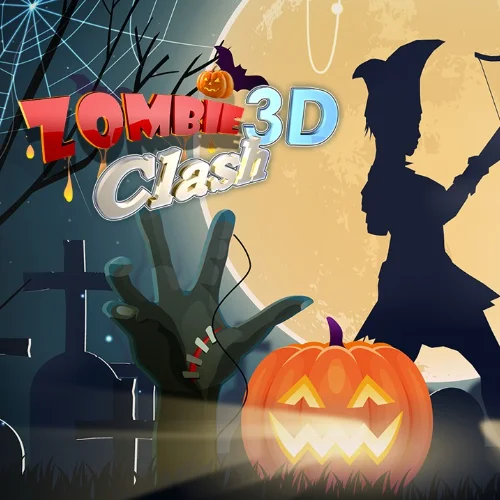
Zombie Clash 3D is a fast-paced third-person shooter set inside an abandoned circus on Halloween night. The colorful costumes and carnival decorations may look playful, but the arena has been overrun by zombies and hostile opponents.
You join a team of armed Harlequins and enter the Mad Circus battlefield. Your mission involves more than eliminating enemies: your team must locate the scarecrow, take control of it, and carry it to the required destination while preventing the opposing side from completing the same objective.
The game combines team-based combat with a capture-style objective. Players who concentrate only on collecting eliminations may leave the scarecrow unprotected, while players who rush directly toward it can become easy targets. Victory requires a balance of attacking, defending, and supporting the objective carrier.
Its keyboard movement and mouse aiming make it particularly suitable for players who enjoy accessible online shooters without lengthy installation or complicated preparation.
How to Play
- After the game loads, enter the match and learn the layout of the circus. Move through the tents, platforms, cages, and open areas while watching for enemy players and useful pickups.
- Your starting shotgun is effective in close combat. Aim at nearby enemies and fire when you have a clear shot. Keep moving between attacks because standing still makes you an easy target, especially in open sections of the map.
- Explore the arena to find additional equipment. One of the most valuable weapons is the crossbow, which offers greater range and fires explosive arrows. Health packs and other useful items may also appear around the battlefield.
- The central objective is to secure the scarecrow and deliver it to the designated area. If a teammate is carrying it, move with them, attack approaching enemies, and protect the route. If the opposing team gains control, intercept its carrier before the objective reaches your base.
Controls
Tips & Tricks
- Press L if your mouse cursor is not properly locked inside the game. Reliable camera control is essential during combat.
- Stay close to cover. Circus props, walls, and platforms can protect you while you reload, recover, or prepare an attack.
- Use the shotgun at short range. Trying to defeat distant enemies with it exposes you without taking advantage of its main strength.
- Keep moving while fighting. Strafe from side to side, change direction, and jump only when it helps you avoid incoming shots.
- Search for the crossbow and health packs. Map pickups can significantly improve your chances of surviving an encounter.
- Protect teammates carrying the scarecrow. Move slightly ahead of the carrier and engage enemies before they can block the route.
- Check the scoreboard with Tab, but do so from a safe position. Opening it during a firefight can distract you.
- After respawning, avoid running into the same dangerous route repeatedly. Try another path or regroup with teammates.
FAQ
How do I fix the camera or mouse controls?
First click inside the game window. If the cursor still moves outside the game, press L to activate cursor lock. Press it again when you want to release the mouse.
How can I improve my score?
Stay near your team, use cover, collect stronger weapons, defend the objective carrier, and choose fights that help your team control the scarecrow instead of chasing every opponent.
Which weapon should beginners use?
The shotgun is straightforward and effective during close-range fights. Once you understand the map, search for the explosive crossbow to attack opponents from farther away.
Where does Zombie Clash 3D take place?
The battle is set in Mad Circus, an abandoned Halloween-themed carnival filled with tents, platforms, cages, props, and undead enemies.
Which keys do I use in Zombie Clash 3D?
Move: W, A, S, D or arrow keys. Look around and aim: Move the mouse.
What is the main objective?
Your team must fight for control of the scarecrow and move it to the designated destination. Eliminating opponents helps create a safe path for completing this objective.
What is the best opening move in Zombie Clash 3D?
Press L if your mouse cursor is not properly locked inside the game. Reliable camera control is essential during combat.
More Browser Games to Try
- Ninja Clash Heroes – Ninja Clash Heroes is a 3D third-person shooting game set in a colorful battlefield inspired by historical Japan.
- Stickman Fighter Epic Battle 2 – Stickman Fighter: Epic Battle 2 is a fast-paced fighting game developed by Playtouch.
- Stick Duel Battle – Stick Duel Battle is a physics-based fighting and shooting game developed by RHM Interactive.
- Stickman Clash – Stickman Clash is a physics-based action and fighting game released in December 2024.
- Battle Club.io – Battle Club.io, also known as Battle Club, is a 3D action and arena game developed by Hoopu Studios.
- stick archers battle – Stick Archers Battle is a physics-based archery game created by RHM Interactive.
- 1v1 battle – 1v1 Battle is a multiplayer 3D shooting game developed by Magnifica.